
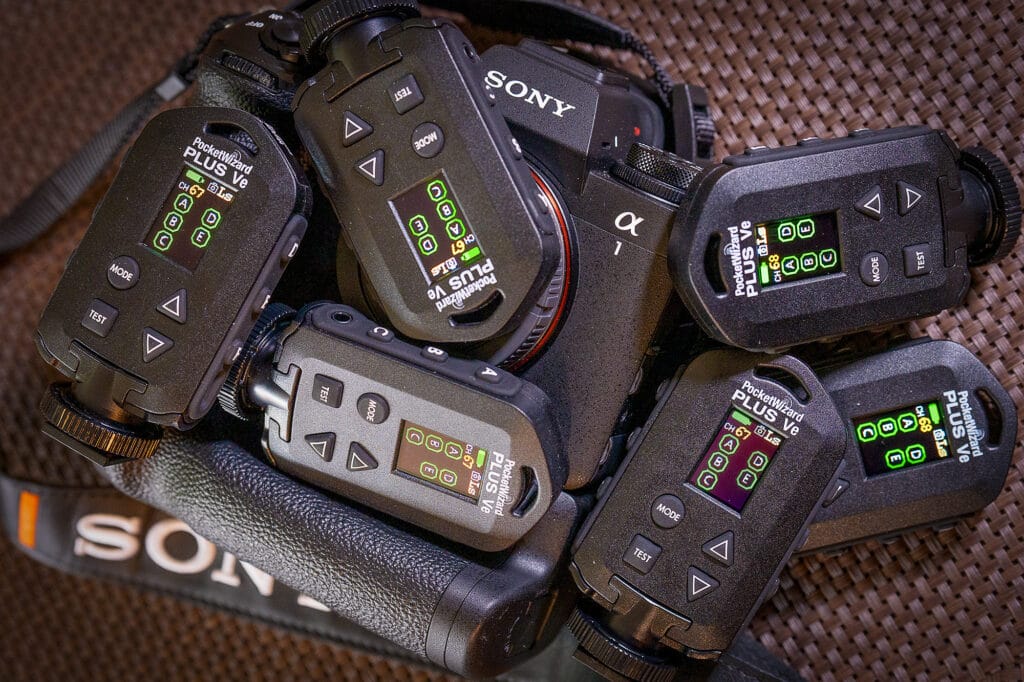
The new PocketWizard Plus Ve is finally here, and it’s worth the wait. In the smallest form factor of any PocketWizard radio transceiver to date, don’t let the little size fool you; it’s packed with features and a special setting for Sony remote camera users.
What’s New?
The Plus Ve is a completely new radio to the PocketWizard line-up. It offers better RF (Radio Frequency) reliability and interference rejection than any other PocketWizard to date. Featuring a built-in USB-C rechargeable lithium-ion battery with 32 E Flash Channels with 6 Zones for flash triggering and 80 Long Range Camera Channels in 5 Zones for remote camera triggering with the Auto Relay feature. Like other PocketWizard units, the Plus Ve is a Transceiver that can automatically switch between transmit and receive modes.
Note: The Plus Ve is not compatible for use with the Plus, Plus II, Max, MultiMAX, or MultiMAX II. But it will work with other PocketWizard radios running E Release firmware.
Using the Plus Ve for Remote Cameras
In the remote camera mode, you will find LR (Long Range transmit/receive mode), Rx (Receive mode only disables Auto Relay Mode) and a new Ls Mode for triggering Sony remote cameras. If you use LR mode instead of Ls mode, the radios may lock up and start triggering constantly if the Sony camera, cabled to a Plus Ve, goes to sleep or is powered off.
So the Plus Ve connected to a cabled transmitting camera should always be set to Ls Mode; in fact, you should set all your remote radios to Ls Mode.
Note: The best cable for Sony cameras with a cable connection is the PocketWizard S-VPR1-ACC Remote Camera Cable. All other cables may produce inconsistent results.
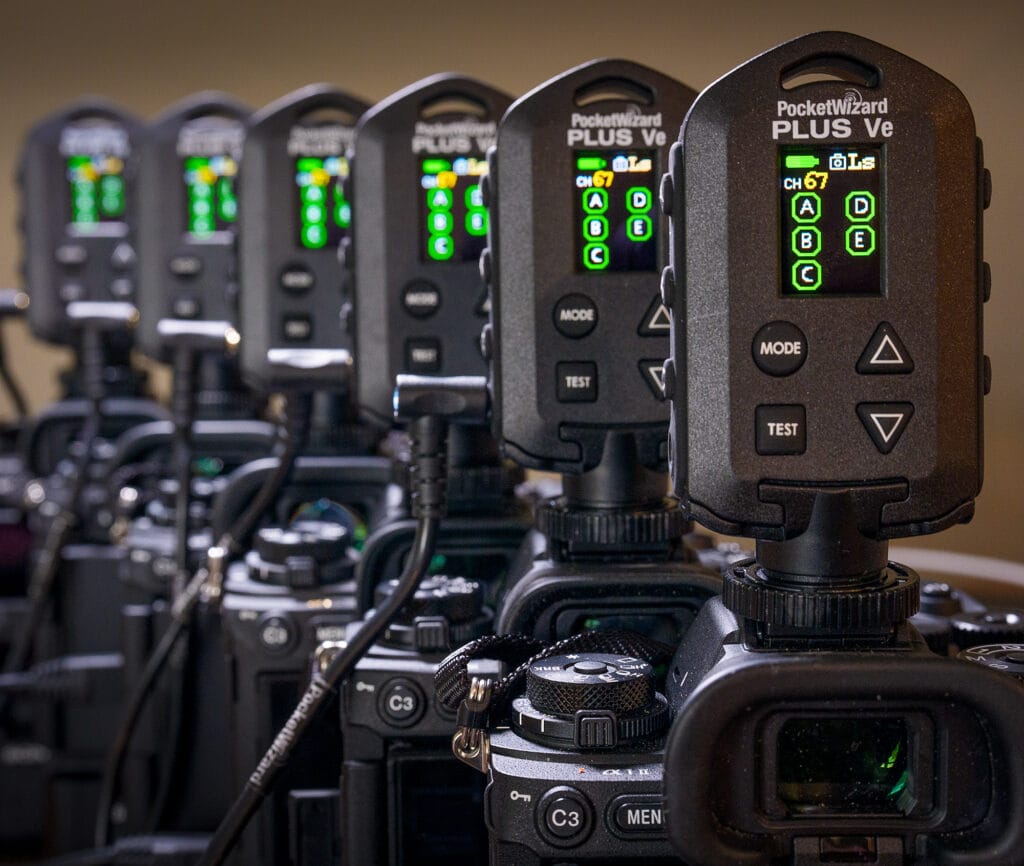
Triggering Cameras via the Sony Multi Interface (MI) Shoe
There is more great news: you can now use an MI Shoe-mounted Plus Ve to trigger remote cameras. In the past, with older PocketWizard radios, you could do this at 1 frame per second (see this page for older PocketWizard Radio settings). Now, depending on your camera model and settings, you can get multiple frames at up to 120 fps on a remote a9 III (this will, of course, depend on camera settings and good radio-to-radio communication).
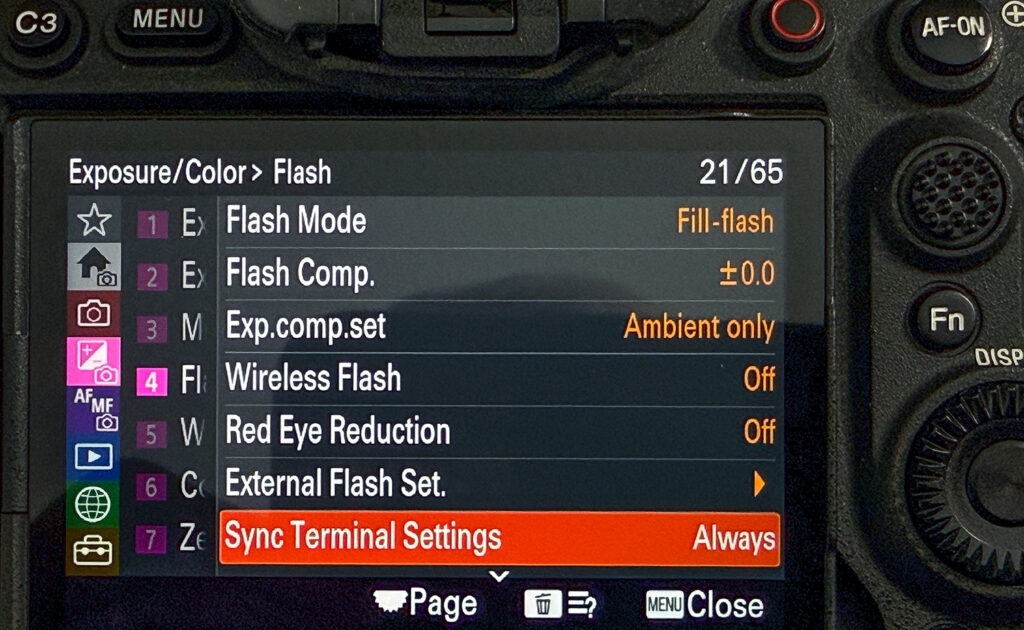
Note: To use the Plus Ve mounted on the camera’s Multi Sync Shoe without a cable, on the Sony a9 III or the Sony a1 II, you will need to turn on “Flash Sync Terminal Settings to Always” (not Auto), and the Silent Shutter can be left “On”.
The timing of the camera and remote images is not time-synchronized, and while there are several variables, the delay between the trigger camera and the remote camera firing is about 110 milliseconds (0.11 seconds). I will update this with future testing.
Triggering Remote Cameras via the Multi/Micro USB Port
Remote cameras cannot be triggered via Sony’s Multi Interface (MI) Shoe and must be cabled to the Multi/Micro USB Port of your Sony camera using the S-VPR1-ACC Remote Camera Cable; all other cables may provide inconsistent results. The triggering camera can be cabled, either wired or fired from the MI Shoe.
If you use the S-VPR1-ACC Remote Camera Cable and the Plus Ve mounted on your MI shoe to trigger your remote cameras, you must set the camera to “Flash Sync Terminal Settings to Always” (not Auto), and the Silent Shutter can be left “On”. If you don’t change this camera setting, the PocketWizard Plus Ve will loop back and send the trigger command to all your remote cameras.
So what are the best settings?
With the current release firmware of the PocketWizard Plus Ve (v1.1.13), set your a1 II or a9 III (firmware version 4.00) to “Flash Sync Terminal Settings to Always” (not Auto), and the Silent Shutter can remain “On” or “Off.
• Set all your PocketWizard Plus 5e’s to Ls mode
• Cable all your cameras with the S-VPR1-ACC Remote Camera Cable only.
• Your trigger camera can be MI shoe-mounted or cabled with the S-VPR1-ACC Remote Camera cable.
• Other triggers (footswitches, buttons, etc.) can be plugged into the Plus 5e’s 3.5mm mini jacket.
• Neat trick: you can have two PocketWizard Plus Ve attached to your trigger camera, one via the cable and one via the MI Shoe, and set them to different Channels and Zones.
Other things to note
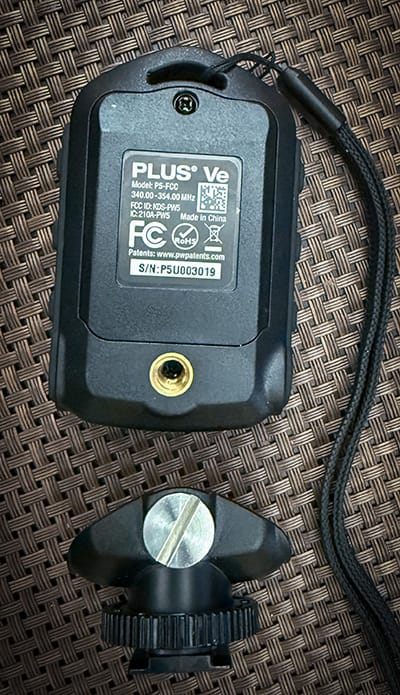
• The antenna runs through the arc at the top of the Plus Ve. I would not attach a metal clip or ring through this to secure the unit when mounting, as it may interfere with the radio performance or range. Use a zip tie loop, a lanyard, or another method that does not use a metal fastener. The Hotshoe on the Plus Ve can be removed to expose a ¼”-20 standard thread for mounting on extension poles or clamps.
• The Plus Ve will automatically turn off after 12 hours to conserve battery power if it does not receive a button press or radio trigger.
• Currently, only the FCC (North America: 340.00 – 352.00 MHz) is available.
• The Speed Cycler feature is not available on the Plus Ve.
• Custom IDs are not currently supported.
• Use only the S-VPR1-ACC Remote Camera Cable from PocketWizard as other cameras may have inconsistent results.
Updated March 18, 2026
Tested with the current firmware release for the PocketWizard Plus Ve (v1.1.13) and the a1 II or a9 III (firmware version s4.00). Updated March 18, 2026